CareBridge
Product design for a service that alerts family when an elderly parent's phone goes quiet. Split it into a caregiver web dashboard and a parent Android app, and designed both, plus onboarding, billing, the landing and the rules for an AI-written blog.
Web for the family, app for the parent
Analysed competitors' reviews on Google Play and the App Store. The common problem: similar services live entirely on the elderly person's phone, so the family adds payment on that device and afterwards cannot see whether monitoring works at all.
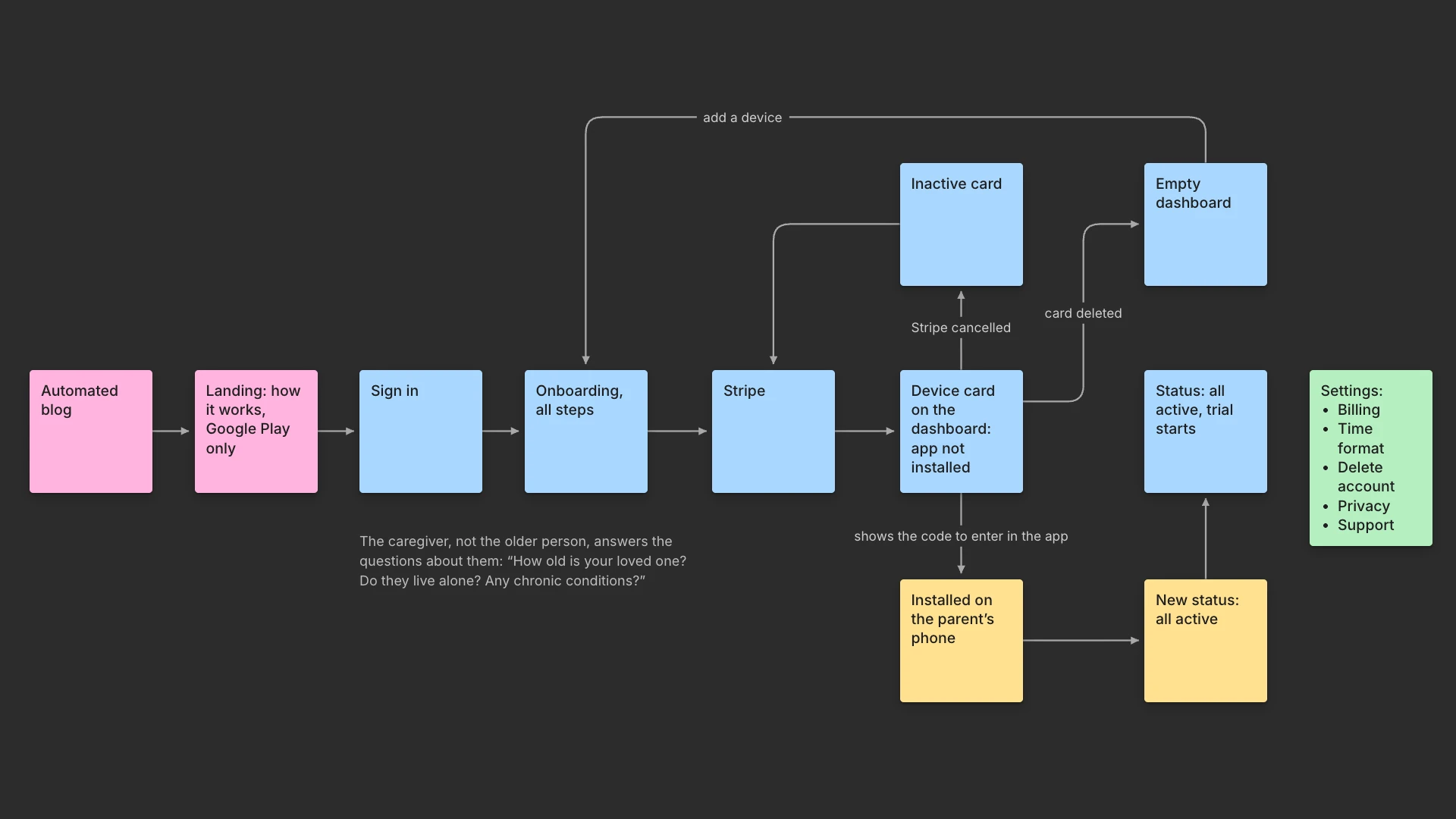
Split the product in two. The relative who decided the service is needed gets a web dashboard with the subscription, the settings and the alerts. The parent gets a free Android app with one task: type a code once. The split set everything after it: questions go to the caregiver, payment stays on the web, the trial waits for the parent's phone.
Mapped the whole path in FigJam, from the ad to a working dashboard, with every branch: app not installed, not paid, device inactive, account deleted. Added a silent ping for when the phone stops checking in: the family is alerted only if it does not answer within 10 minutes, so an app that merely went quiet does not set off a false alarm.
Landing: three steps, no surveillance
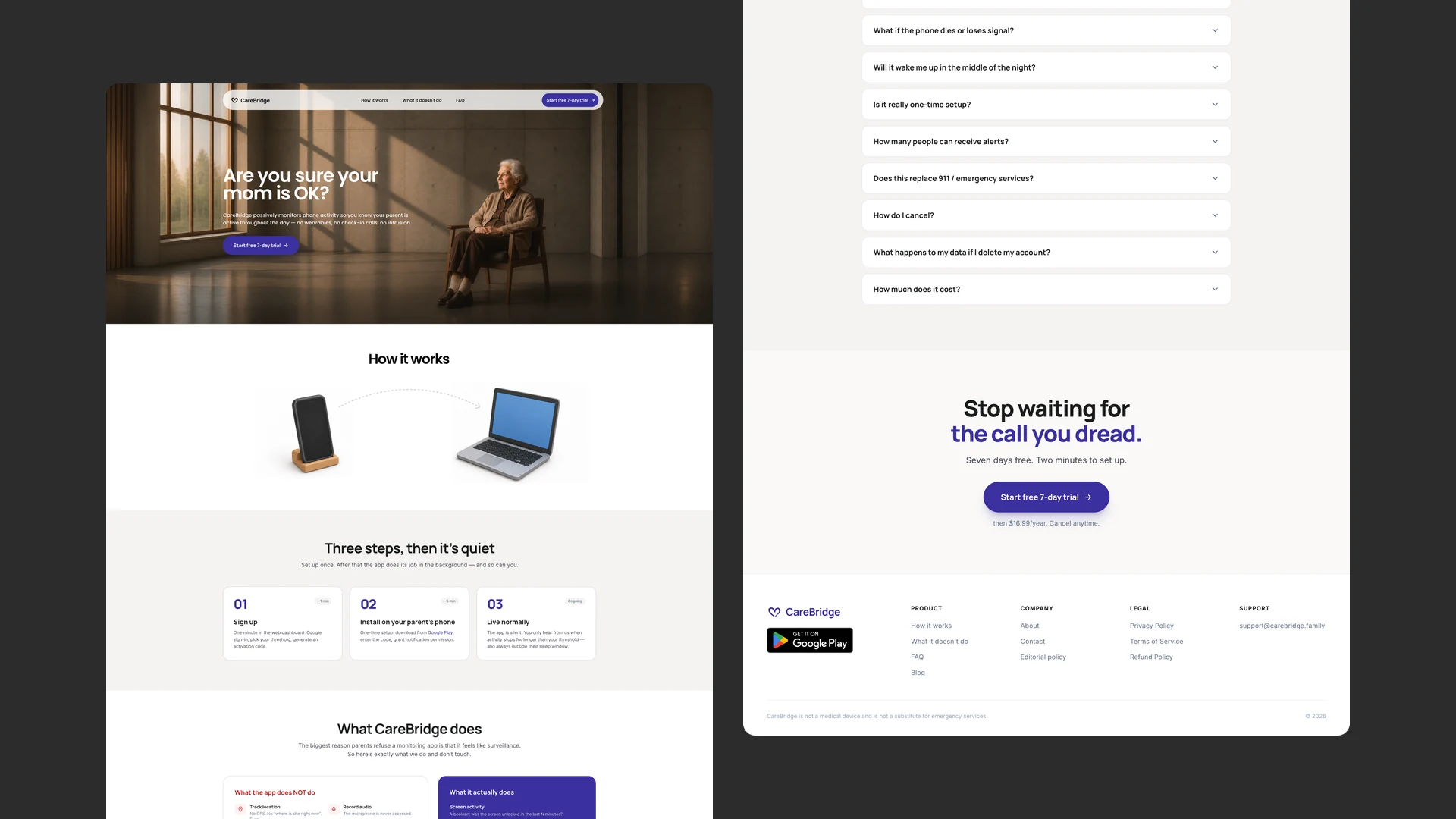
Started from an AI-generated draft and reworked it in Figma over 4 full-width directions. Removed the stats bar, the comparison, the feature cards and the pricing table. The page now shows how little it takes: sign up in about a minute, install on the parent's phone in about five, and that's it.
In competitors' reviews, parents often refused monitoring apps because they felt watched. So the landing has a separate block on what the app reads and what it never touches: location, camera, microphone, messages. The hero says “Android only”, so iPhone users don't sign up by mistake.
Questions to the caregiver, not the parent
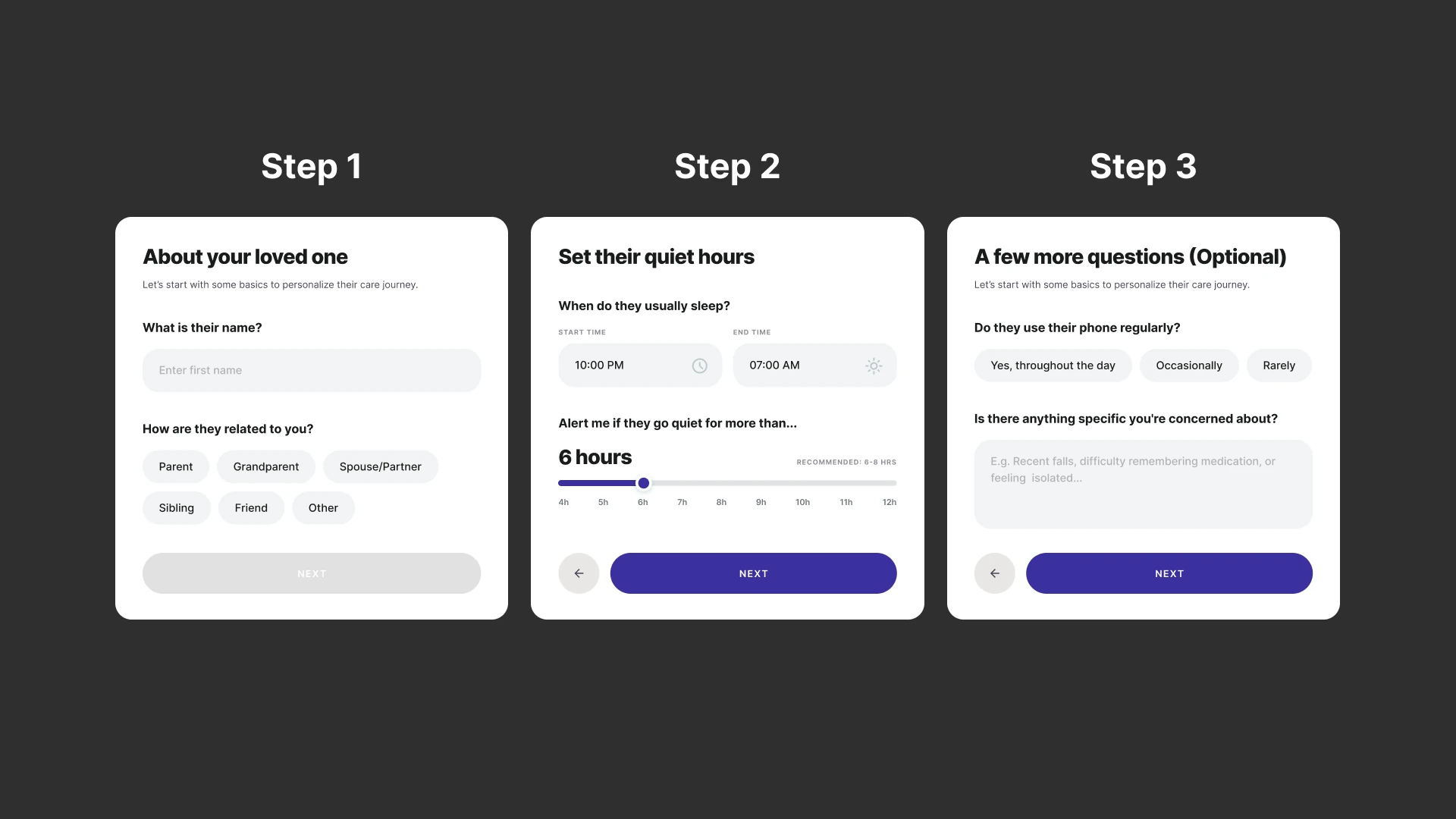
Put every question to the caregiver, who knows the answers and wants to give them, never to the parent. Designed three steps between Google sign-in and the saved card: relationship, sleep hours and alert threshold, optional routine questions.
Replaced the sleep-time text fields with hourly dropdowns. The alert threshold is a slider with a recommendation: 6–8 hours. The caregiver's own email becomes trusted contact 1 of 4, marked “(you)”. Onboarding resumes where it was left.
The trial waits for the parent
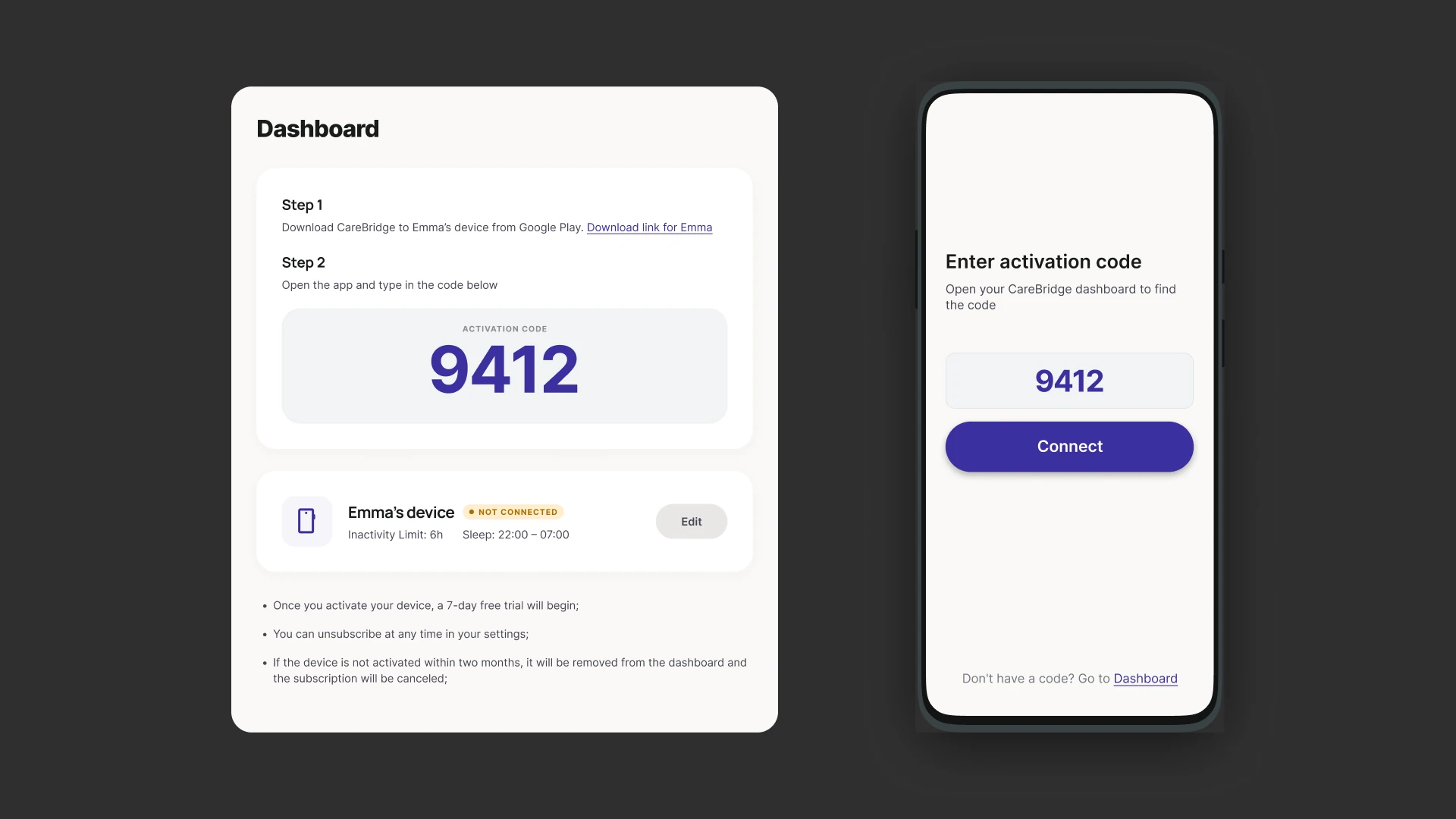
Moved the card into the last onboarding step, saved without a charge, and started the 7-day trial at the parent's first connection instead of at sign-up, so nobody pays for days spent installing. The dashboard says it in one line: the trial begins once the device connects.
Kept monitoring on while a payment is past due: a safety product should not go silent over billing. Cancelling the subscription and deleting the account both sit in Settings, each behind a single confirmation.
Set up in one step
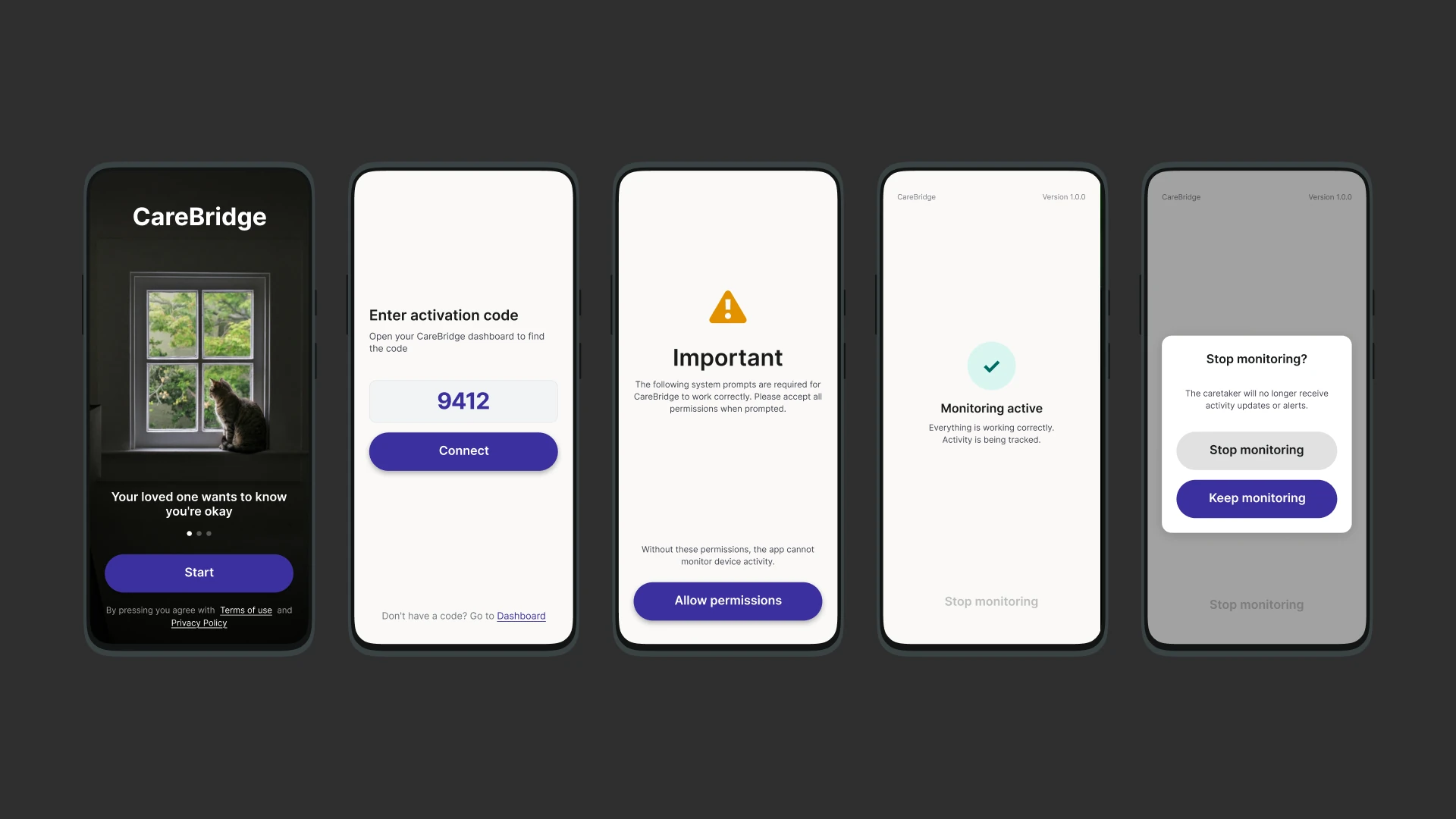
Put an “I agree” after the 4-digit code and started monitoring only on that tap, so nothing runs on the phone before the parent consents. The only system prompt, for notifications, appears after that tap; from then on the app is one status screen, active or paused.
Made stopping monitoring ask for confirmation and say what the family loses: activity updates and alerts.
The dashboard
Put the answer in the device card at the top: online status, sleep schedule, inactivity limit. Moved the explanation into the activity log below it. Cut the “disconnected” status, which overlapped with “offline”, and merged repeated events of the same type within 2 minutes into one.
Hid sleep events from the log at first, then brought them back as markers such as “Night mode started”. Designed every empty and in-between state: no device yet, waiting for activation with the code and two numbered steps, device inactive.
Rules for an AI-written blog
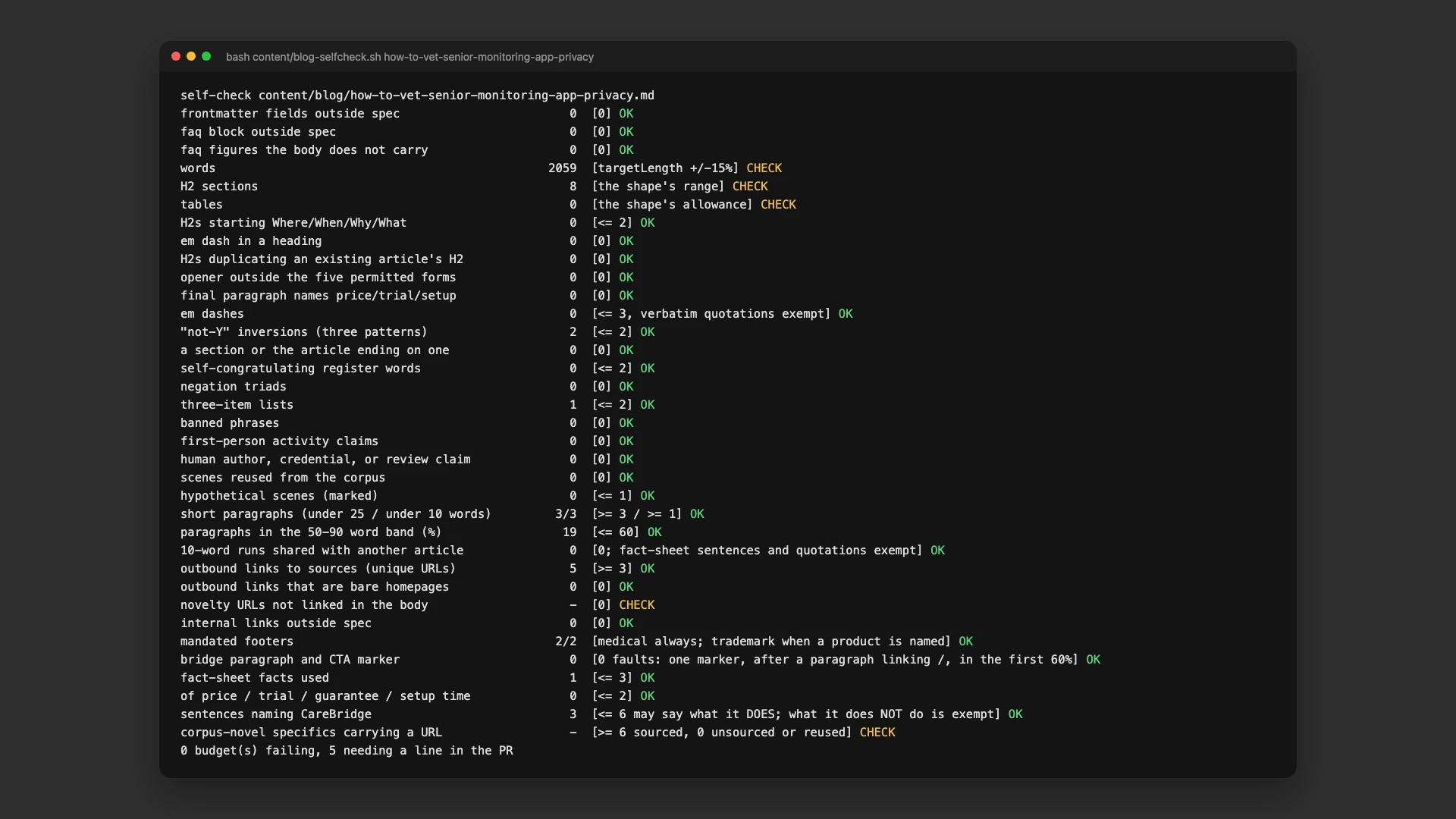
An AI agent writes two articles a week. The first 13 came out as copies of one template: 281 em dashes and 2 outbound links across 19,331 words. Rewrote the rules it writes against as 34 countable checks that a script runs on every draft: sourcing, repetition, links, length. Review takes about two minutes per article.
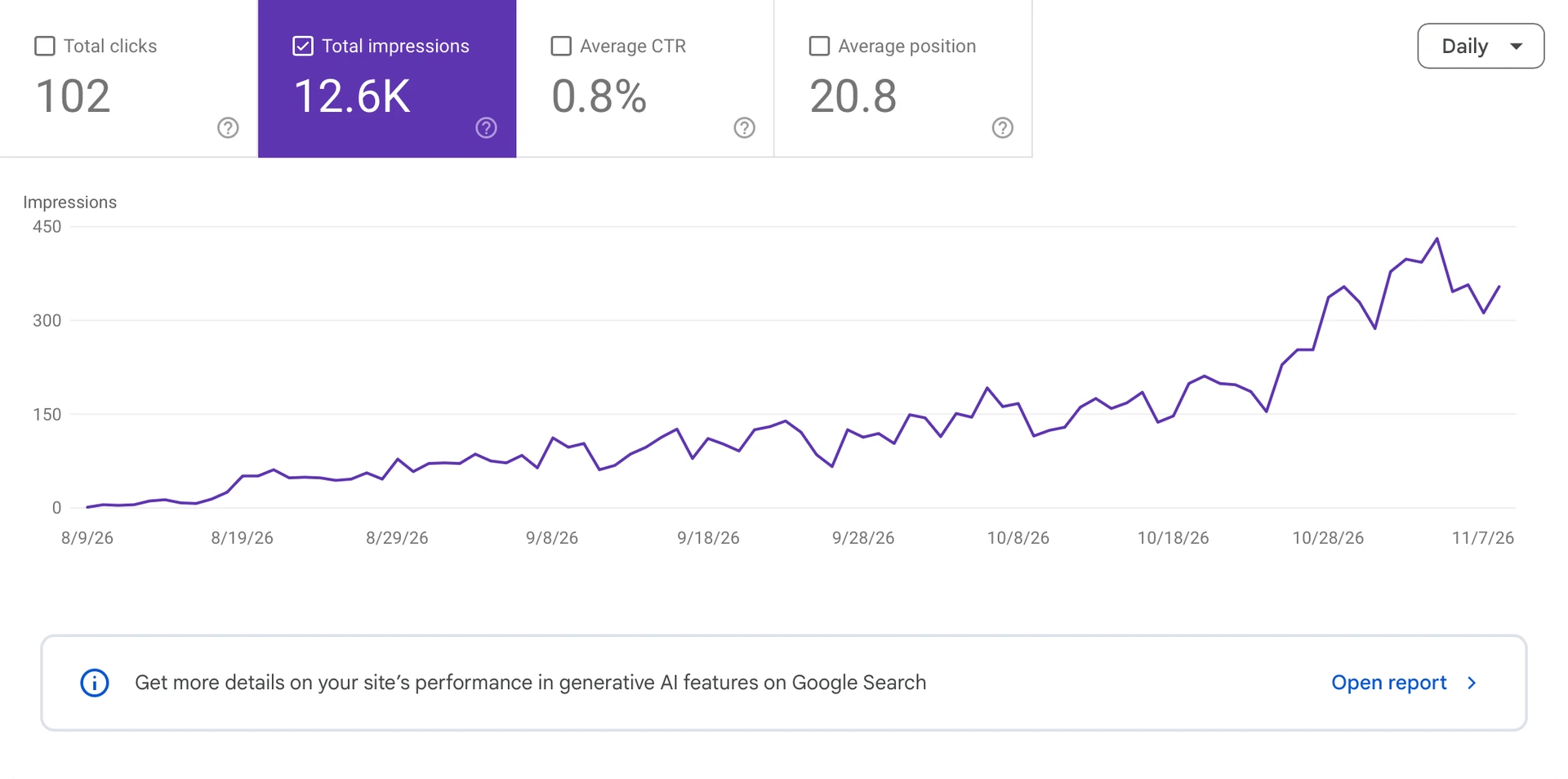
Daily search impressions grew from zero in August to about 400 in November, and the traffic started bringing in the first paying customers.
Launched in June 2026
Published on Google Play and opened to the public at carebridge.family in June 2026. Search traffic from the blog started bringing in the first paying customers.